A transition is a pose-only blender. Each frame of its lifetime it receives two input poses — the source pose (what the player was just seeing) and the target pose (what the player is heading toward) — and produces one output pose. That's the whole contract.
A transition never holds a pointer to the cameras it's blending. It never knows which directors are involved. It cannot reach up into the Context Stack. It works entirely from poses and a bit of initialization data. This is deliberate and is what makes transitions universally reusable — the same InertializedTransition instance blends gameplay-to-cutscene, cutscene-to-gameplay, or one gameplay camera to another, with no special cases.
Lifecycle
Every transition has four phases:
TransitionEnabled(InitParams)   — once, when the tree gets rewritten
OnBeginPlay()                    — once, on the first Evaluate frame
OnEvaluate()                     — every frame thereafter
OnFinished() — once, when RemainingTime ≤ 0TransitionEnabled(InitParams)fires the moment the transition is first wired into a tree inner node (see Evaluation Tree). It receives a small struct describing the world state at the instant the transition was created, not at the first frame it evaluates.OnBeginPlay()fires just before the firstOnEvaluate(). Transitions use it to set up internal state that depends on the live source/target cameras — spline control points derived from both poses, polynomial coefficients for inertialization, and so on.OnEvaluate()fires every subsequent frame. It receives the live source and target poses (re-evaluated every frame) and the currentPercentage(0 → 1 overTransitionDuration), and returns the blended pose.OnFinished()fires once whenRemainingTimedrops to zero. The inner node that owns this transition will be collapsed on the same frame (see Evaluation Tree → collapse rule).
InitParams — why velocity matters
FComposableCameraTransitionInitParams is the snapshot passed to TransitionEnabled and carried into OnBeginPlay. It contains:
CurrentSourcePose— the blended output the player was just seeing (the Director'sLastEvaluatedPose).PreviousSourcePose— what the player saw the frame before (the Director'sPreviousEvaluatedPose).DeltaTime— the frame delta at the moment of creation.
Velocity-aware transitions — inertialization, path-guided, any custom physically-plausible blender — need these two poses. Initial velocity is (Current - Previous) / DeltaTime. Without it, a blend that starts while the source camera is mid-motion would appear to "kink" at the start as velocity discontinuously snaps to zero.
Transitions that don't care about velocity (linear, cubic, smooth) can ignore InitParams entirely.
Locked rotation paths
Built-in transitions lock the first-frame source-to-target rotation delta before they call their concrete blend logic. They still receive live source and target poses every frame, but rotation changes after the transition starts are accumulated as endpoint offsets and faded by the current source/target blend weights. This keeps a moving source or target from forcing the transition to recalculate a new shortest rotation path midway through the blend.
Custom transitions that use the base helper BlendPosesByLockedRotationPath(Source, Target, Alpha) get the same behavior while preserving the normal FComposableCameraPose::BlendBy rules for FOV, projection, physical camera fields, and post-process blending.
The five-tier resolution chain
When the PCM is asked to switch from camera A (built from SourceTypeAsset) to camera B (built from TargetTypeAsset), it needs to pick which transition to run. AComposableCameraPlayerCameraManager::ResolveTransition walks a five-tier priority chain; the first tier that produces a non-null transition wins.
- Caller-supplied override — whatever you passed to
TransitionOverrideon the activation call (ActivateCamera,ActivateComposableCameraFromTypeAsset,PopCameraContext,TerminateCurrentCamera). Always wins. Use this when a specific gameplay event needs a specific blend regardless of the cameras involved.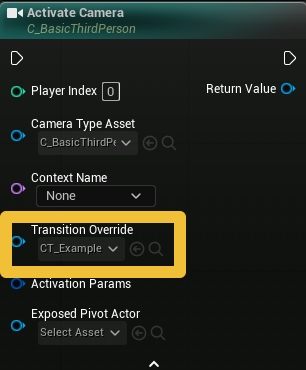
- Transition table lookup — the project-wide
UComposableCameraTransitionTableDataAssetdeclared in Project Settings → ComposableCameraSystem → TransitionTable. Holds an array of(SourceTypeAsset, TargetTypeAsset, Transition)triples. Performs exact-match only on the pair; first matching entry in declaration order wins. There are intentionally no wildcards.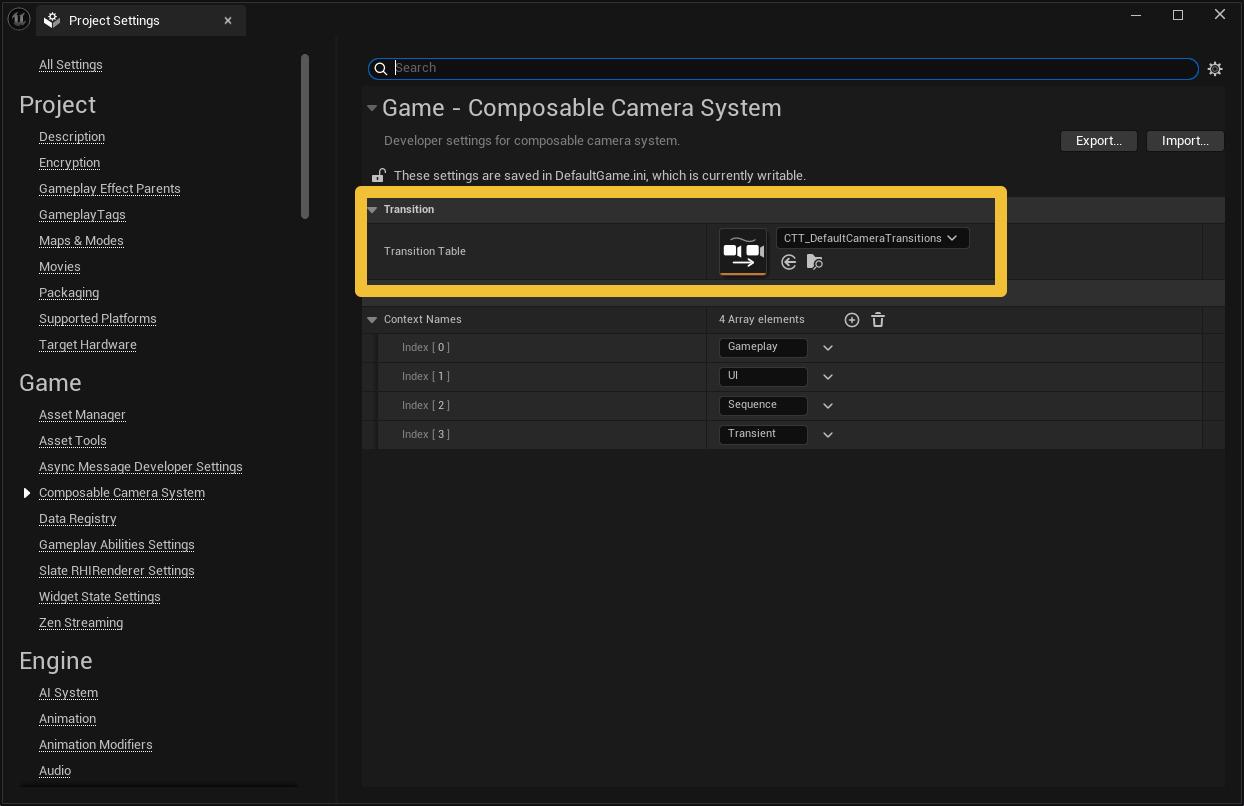
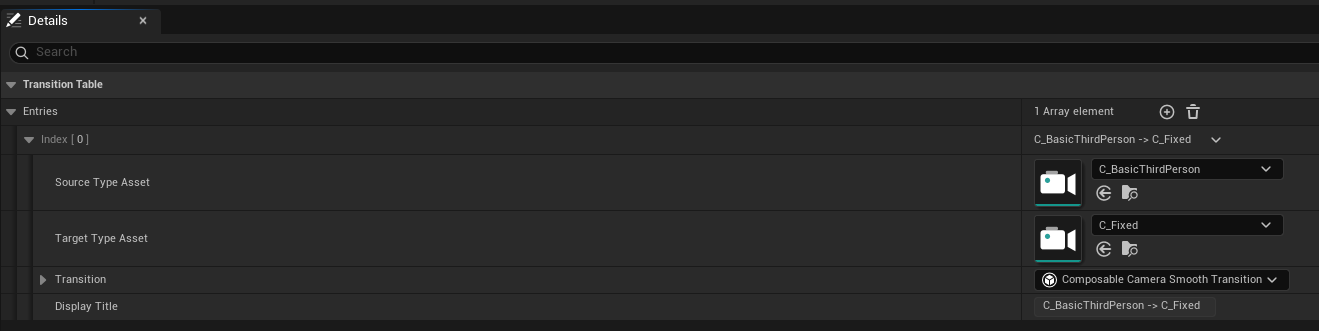
- Source's
ExitTransition— declared onSourceTypeAsset. "Whenever this camera leaves, blend out like this, regardless of target."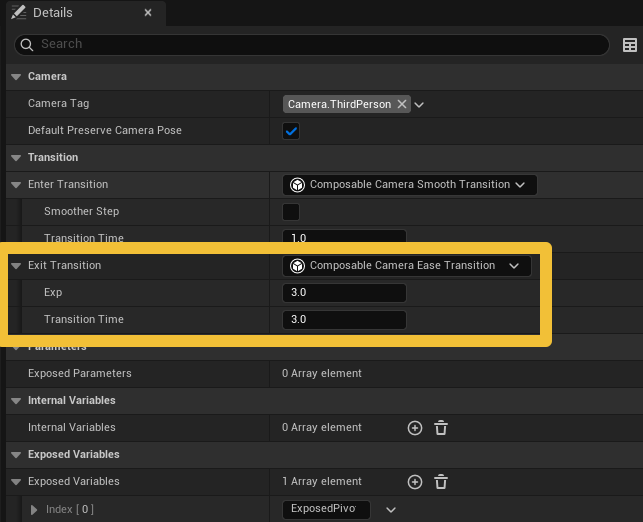
- Target's
EnterTransition— declared onTargetTypeAsset. "Whenever this camera is activated, blend in like this, regardless of source."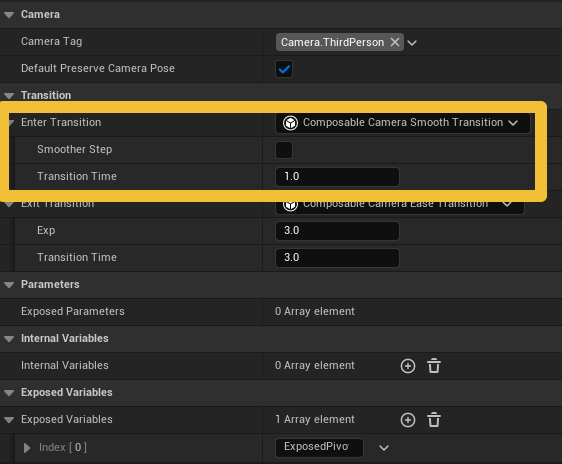
- Hard cut — no transition resolved; the new camera appears instantly and the tree is replaced (no inner node is created).
Why no wildcards in the table
It's tempting to want (AnyCamera, CutsceneA) → SpecialBlend. But once wildcards exist, they tend to shadow the per-camera EnterTransition/ExitTransition defaults silently — now every author needs to remember whether a wildcard exists before setting their camera's default transition. Per-camera ExitTransition (tier 3) and EnterTransition (tier 4) cover the common "always leave/enter this camera a certain way" intent without that footgun. The table stays reserved for explicit pair-specific routing.
The resolution call is identical for in-context activations (inside one context) and inter-context pops (across a context boundary). If you add an entry to the transition table for (CutsceneA, Gameplay), it will fire on the pop from a cutscene context back to gameplay.
Built-in transitions
| Transition | Shape |
|---|---|
LinearTransition |
Straight linear interpolation of the pose. |
CubicTransition |
Cubic easing, smooth start and end. |
EaseTransition |
EaseInOut with a tunable exponent. |
SmoothTransition |
Hermite smoothstep t²(3-2t) or smoother-step t³(t(6t-15)+10). |
CylindricalTransition |
Arc around a pivot derived from ray intersection — good for orbital feels. |
InertializedTransition |
Velocity-aware 5th-order polynomial blends for position and rotation. Optional auto-computed duration from a max-acceleration bound. Optional additive curve for shape control. |
SplineTransition |
Camera follows a computed spline (Hermite, Bezier, Catmull-Rom, or Arc) with configurable evaluation curves. |
PathGuidedTransition |
Three-phase (inertialized enter → follow a rail → inertialized exit), using an intermediate camera on the rail. Good for cinematic swoops. |
CompositionPreservingTransition |
Wrapper that keeps a selected subject's source-camera composition while a nested transition drives rotation and timing. |
DynamicDeocclusionTransition |
Wrapper over another transition; scales blend weight down when the target would be occluded, up when clear. |
See the Reference → Transitions catalog for details on each.
Pose-only, restated
Because transitions never touch cameras or Directors, these things all work with any transition type without extra plumbing:
- blending in the middle of a context,
- blending across a context pop,
- stacking blends (the source might itself be a blend in progress — the transition's left input is just a pose either way),
- pausing the source camera's node evaluation — the transition wouldn't notice as long as it still gets a pose.
This is also why authoring a new transition is a small, self-contained task. Your OnEvaluate receives two poses and a blend percentage, and returns a pose. Everything else — tree rewriting, collapse, cross-context fan-out — is the system's job. See Extending → Custom Transitions.
Next: how modifiers tweak a camera's behavior without building new cameras.