Every node shipped with the plugin, grouped by role. See Concepts → Overview for the evaluation model and the layered picture; User Guide → Authoring Camera Types for typical compositions and pin resolution authoring.
Nodes split into two execution chains:
- Camera nodes — subclasses of
UComposableCameraCameraNodeBase. Run every frame on the camera chain to produce the pose. - Compute nodes — subclasses of
UComposableCameraComputeNodeBase. Run once on the BeginPlay chain at activation and publish results that camera nodes consume each frame.
Each node's authored per-property API reference (full field lists, types, ranges) lives in the auto-generated Reference → API → Classes section. This page covers what each node is for and when to reach for it.
Many nodes that consume an actor expose an actor-source selector. The default ExplicitActor path uses the node's actor property or pin; ControllerControlledPawn resolves the owning player controller's current pawn through the AComposableCameraPlayerCameraManager. See Actor Input Sources for the full node list and migration notes.
Pose helpers
FixedPoseNode
Pass-through. Keeps the current pose unchanged. Useful as a placeholder while wiring other nodes, or as a terminator in a branch that shouldn't modify the pose.
RelativeFixedPoseNode
Maintains the camera pose at a fixed offset relative to a reference transform or actor. Good for locked shots that need to track a moving actor without any additional logic (e.g. a side-scroller camera rigidly welded to the player).
When using RelativeToActor, RelativeActorSource can target either an explicit actor or the controller-controlled pawn.
Pivot and subject
These nodes are the first stage of most cameras — they establish "what is this camera looking at / following" before any offset or rotation logic runs.
ReceivePivotActorNode
Reads an actor's world position and writes it to an output PivotPosition pin. The actor typically comes in as a context parameter — see the Gameplay context pattern in Authoring Camera Types → Typical compositions.
For player-centric gameplay cameras, set PivotActorSource to ControllerControlledPawn to read the possessed pawn without adding a FollowTarget parameter. Keep ExplicitActor for reusable assets, Sequencer, AI, or cameras that follow a non-possessed target.
PivotOffsetNode
Offsets the pivot position. Supports world-space, actor-space, or camera-space offsets — use actor-space for "one meter above the character's root" shoulder-height setups, world-space for gravity-aligned offsets, camera-space for screen-relative nudges.
When PivotOffsetType is ActorLocalSpace, ActorForLocalSpaceSource can use either an explicit actor or the controller-controlled pawn as the local-space frame.
PivotLookAheadNode
Projects an incoming PivotPosition forward by velocity so the camera can lead a moving subject instead of sitting directly on its current location. Place it after ReceivePivotActorNode and before pivot offset, screen-space pivot, look-at, or camera offset nodes.
VelocityActorSource can read velocity from either an explicit VelocityActor or the controller-controlled pawn. If no velocity actor resolves, the node falls back to frame-to-frame PivotPosition delta, so it still works when the upstream pivot is produced by another node rather than a real actor. LookAheadTime controls how far forward the pivot is projected, and VelocityDampingTime smooths sudden velocity changes.
Enable CCS.Debug.Viewport.PivotLookAhead 1 to draw the predicted pivot as an orange in-world sphere.
C++ reference: UComposableCameraPivotLookAheadNode
LockOnAimPointNode
Builds a stable virtual aim point for lock-on camera composition. Use it in a two-pivot lock-on setup where one ScreenSpacePivotNode frames the player/follow pivot and a second ScreenSpacePivotNode frames the lock target.
The node reads a follow point and a raw aim point, then outputs a corrected PivotPosition for the second screen-space pivot. When the follow point and aim point become too close in horizontal projection, the node pushes the aim point outward with a blend of three terms: pitch-preserving, camera-to-aim, and camera-forward. This avoids the near-degenerate framing case where enforcing the lock target's screen position can cause very fast camera rotation.
Both the follow and aim points can come from either world-space vectors or actors. In actor mode, FollowActorSource and AimActorSource can resolve explicit actors or the controller-controlled pawn, and the world-up offset fields lift each point from the actor origin to chest/head height. Radius controls when correction activates, PitchRange clamps the pitch-preserving term, Weights controls the three correction terms directly, and BlendOutTime fades the previous correction back to the raw aim point after the pair leaves the radius.
Recommended chain:
ReceivePivotActor(Player) -> PivotOffset(Player) -> ScreenSpacePivot #1
ReceivePivotActor(Target) -> PivotOffset(Target) -> LockOnAimPoint -> ScreenSpacePivot #2
Enable CCS.Debug.Viewport.LockOnAimPoint 1 to draw the corrected aim point as a blue in-world sphere. During correction and F8 eject, the gizmo also draws the raw-to-corrected aim line.
C++ reference: UComposableCameraLockOnAimPointNode
PivotDampingNode
Dampens pivot position changes using an Instanced interpolator (IIR, simple spring, or spring-damper). Smooths out jittery or teleport-style pivot updates — for example, when the pivot is bound to a character whose root bone snaps during a montage.
The interpolator is a subobject UPROPERTY, so its individual parameters (Speed, DampTime, etc.) are auto-exposed as subobject pins and can be wired or overridden from the type asset.
Camera offset and rotation
Once the pivot is set, these nodes position and orient the camera relative to that pivot.
CameraOffsetNode
Applies an offset in camera-local space — "behind and to the right of the pivot, at some distance". The camera-local frame follows the camera's rotation, so the offset stays coherent as the player orbits.
Use CameraOffset.X for forward/back distance, Y for right/left, and Z for up/down. ForwardOffsetDeltaByPitchCurve can add to the forward distance every frame based on the current camera pitch in degrees, which is useful for pitch-sensitive boom tuning such as pulling the camera farther back when looking down or easing it forward when looking up.
ControlRotateNode
The input handler for third-person and free-look cameras. Reads an Enhanced Input InputAction from either a nominated RotationInputActor or the controller-controlled pawn and applies yaw/pitch.
| Field | Purpose |
|---|---|
RotationInputActorSource |
ExplicitActor reads RotationInputActor; ControllerControlledPawn reads the current pawn from the owning player controller. |
RotationInputActor |
Actor owning the EnhancedInputComponent. |
RotateAction |
The UInputAction whose Axis2D value drives rotation. |
HorizontalSpeed / VerticalSpeed |
Degrees per second per unit of input. |
HorizontalDamping / VerticalDamping |
FVector2f of (acceleration, deceleration) time-to-reach. Damps instantaneous snap of stick input. |
bInvertPitch |
Inverts pitch axis. |
Requires Enhanced Input — add EnhancedInput to the project's module dependencies if it isn't already there.
AutoRotateNode
Rotates the camera back toward a reference forward direction when it drifts outside an authored yaw/pitch range. Typical uses: idle sweep (camera drifts toward character forward while the player isn't touching the stick), soft threat lock-on, or cinematic re-framing.
Direction source. DirectionMode selects how the reference forward is resolved each frame:
Direction— an explicitMainDirectionvector, typically wired from an upstream compute node or set as a context parameter. Default; X-forward out of the box.ActorForward— readsPrimaryActor's world forward vector each frame, or the controller-controlled pawn whenPrimaryActorSourceuses that source. Use this when the reference should track a moving character naturally, without needing a compute node to publish the forward.
Input interrupt. When bInterruptOnUserInput is true (default), stick input detected via the CameraRotationInput pin interrupts an in-progress auto-rotation and starts the InputInterruptCooldown timer before auto-rotation can resume. MaxCountAfterInputInterrupt caps how many times this re-activation is allowed per camera lifetime. Set bInterruptOnUserInput to false to run auto-rotation unconditionally — only BeyondValidRangeCooldown then gates it.
Interpolation. A single RotateInterpolator (Instanced subobject) drives both yaw and pitch together so they reach the target boundary in the same time. If null, the camera teleports to the boundary in one frame.
RotationConstraints
Constrains yaw and/or pitch within defined ranges. Typically placed after ControlRotateNode to stop the player from looking straight up or spinning 360°. Ranges are authored in degrees in the selected reference frame.
Actor-space yaw and pitch constraints can resolve their reference actor from either explicit actor fields or the controller-controlled pawn. The reference frame is built from the actor's forward vector, matching the same forward-vector convention used by the rotation-setting nodes.
SetRotationNode
Replaces the current camera rotation from one of four sources:
FromActorreads a reference actor's forward vector, using either the explicitRotationActorfield or the controller-controlled pawn.FromTwoActorsbuilds a forward vector fromFirstActortoSecondActor. Each endpoint can resolve from an explicit actor or the controller-controlled pawn.FromVectorturnsRotationVectorinto a rotator with Unreal's forward-vector convention.FromRotatorwrites the literalRotationvalue.
Use it when a camera chain needs a hard rotation handoff before downstream nodes apply offsets, look-at, constraints, or post-rotation effects. If the actor cannot be resolved, or the vector source is zero, the node preserves the upstream rotation instead of snapping to identity.
RotationOffset is applied after the base rotation resolves. Yaw is composed in world space, while pitch and roll are composed in the resolved rotation's local space. Use it for over-the-shoulder or dialogue offsets where the base direction should still come from an actor, vector, or actor pair.
C++ reference: UComposableCameraSetRotationNode
PivotRotateNode
Auto-drafted from header — please review
This entry was generated by the auto-updater from the class's doc comment. Expand with usage notes, pin descriptions, and an example when you have a moment.
Synchronises the camera's rotation to a pivot actor's world rotation, composing an authored RotationOffset in the pivot's local space — equivalent to a child USceneComponent with RelativeRotation set to that offset. Useful for vehicle, mount, and cockpit cameras where the camera should adopt the rig's heading (and optionally pitch / roll) with a fixed relative tilt and a smooth catch-up rather than a hard lock.
Quaternion composition (PivotActor.Quat * RotationOffset.Quat) avoids the gimbal artifacts that a raw FRotator add produces when the pivot has non-trivial pitch or roll.
Inputs: PivotActorSource, PivotActor (Actor), RotationOffset (Rotator — zero copies the pivot rotation exactly).
Interpolator: optional Instanced subobject; its child properties surface as pins automatically via the base class's subobject-pin pipeline. When null, the camera snaps to the target each frame; when set, it eases toward it on the interpolator's curve.
Header: ComposableCameraPivotRotateNode.h
C++ reference: UComposableCameraPivotRotateNode
Look-at
LookAtNode
Rotates the camera to face a target. Supports:
- Target by position (
ByPosition) or by actor (ByActor, with an optionalLookAtSocketfor skeletal-mesh attachment). - When targeting by actor,
LookAtActorSourcecan use either the explicitLookAtActoror the controller-controlled pawn. - Hard constraint (
Hard) — the player cannot control camera rotation; look-at is absolute. - Soft constraint (
Soft) — the player keeps control within a radius, and the node pulls the camera back toward the target when the player stops inputting. Parameters:SoftLookAtRange(degrees),SoftLookAtWeight(0–1; higher = snappier return), and an InstancedSoftLookAtInterpolator(typicallySpringDamperInterpolator) for the smoothing curve.
Place after ControlRotateNode in a third-person chain to implement "soft lock-on" for melee targeting.
ScreenSpacePivotNode
Keeps the pivot within a configurable screen-space rectangle. Instead of re-orienting the camera to face the subject, it translates the camera so that the subject's projected position stays inside the authored bounds. Useful for cinematic over-the-shoulder framings where the subject should always be in the right third of frame. In ActorPosition mode, PivotActorSource chooses between an explicit actor and the controller-controlled pawn.
ScreenSpaceConstraintsNode
Generalized screen-space constraint solver — combines multiple constraints (pivot position, look-at angle, subject margin) into one solver pass. Choose this over ScreenSpacePivotNode when you need more than one screen-space condition simultaneously. Its constrained actor uses the same explicit-actor vs controller-controlled-pawn source pattern.
Lens, FOV, and projection
These nodes author the pose's lens and projection fields. They typically appear near the end of the node chain, after the camera's position and orientation are settled.
FieldOfViewNode
Sets FOV in degrees. Writes to FComposableCameraPose::FieldOfView and clears FocalLength, so the pose resolves FOV directly rather than from focal-length/sensor math.
Optional "dynamic FOV" driven by an actor's scale (e.g. zoom out when the character grows during a power-up).
LensNode
Authors physical-lens parameters on the pose: FocalLength, Aperture, FocusDistance, DiaphragmBladeCount, PhysicalCameraBlendWeight. When bOverrideFieldOfViewFromFocalLength is true, also clears FieldOfView so the pose resolves FOV from FocalLength + SensorWidth.
PhysicalCameraBlendWeight gates physical post-process contribution. Lens authoring controls focal length, aperture, focus distance, and diaphragm blades; ISO and shutter speed now belong to ExposureNode.
Unreal's manual physical exposure path still reads aperture from DepthOfFieldFstop. If the level's post-process stack has Metering Mode set to Manual and Apply Physical Camera Exposure enabled, changing LensNode.Aperture can affect brightness by engine design. Use ExposureNode when the camera should explicitly author ISO/shutter, and keep Apply Physical Camera Exposure disabled when aperture should only drive DoF.
ExposureNode
Authors physical exposure parameters on the pose: ISO, ShutterSpeed, and ExposureBlendWeight. This separates exposure control from LensNode so a lens can own DoF/aperture without implicitly choosing ISO/shutter.
The renderer consumes these values only when the resolved post-process stack uses Manual metering and Apply Physical Camera Exposure is enabled. Configure that on a Post Process Volume, Post Process Component, or the camera component's post-process settings; the node writes pose values but does not force the level-wide exposure policy.
C++ reference: UComposableCameraExposureNode
FocusPullNode
Dynamically drives the camera pose's FocusDistance from the projected on-axis depth to a target actor. Single-responsibility node — it only touches FocusDistance; everything DoF needs beyond that (aperture, blade count, filmback, PhysicalCameraBlendWeight) comes from an upstream LensNode.
Intended composition:
... → LensNode(FocalLength, Aperture, BlendWeight=1, FocusDistance=-1)
    → FocusPullNode(drives FocusDistance from PivotActor)
→ ...LensNode's FocusDistance = -1 is the "leave for downstream" sentinel. If LensNode writes a concrete value instead, FocusPullNode overwrites it (last writer wins on the pose) — both work, but the sentinel makes intent obvious. Without a LensNode upstream (or another node setting PhysicalCameraBlendWeight > 0), the focus distance is written but DoF will not activate at the renderer level.
Target resolution follows the same PivotActorSource + PivotActor + BoneName / PivotZOffset pattern as CollisionPushNode and OcclusionFadeNode, so the same context-parameter wiring feeds all three. Set PivotActorSource to ControllerControlledPawn for a player-pawn focus pull.
Depth formula. Focus distance is camera-space depth — the dot product of (TargetPoint − CameraPos) with the camera forward vector — not Euclidean distance. For an off-axis target at 10 m and 45°, projected depth is ~7 m. This is what ApplyPhysicalCameraSettings and the renderer's DoF system consume; Euclidean distance would produce incorrect focus for any off-axis subject.
Smoothing is optional via the standard interpolator system (SpringDamper / IIR / SimpleSpring). The first tick after activation bypasses the interpolator so focus snaps to the real depth rather than ramping in from a stale prior value.
C++ reference: UComposableCameraFocusPullNode
FilmbackNode
Authors sensor and aspect-ratio parameters: SensorWidth, SensorHeight, SqueezeFactor, Overscan, ConstrainAspectRatio, OverrideAspectRatioAxisConstraint, AspectRatioAxisConstraint. Sensor dimensions feed into the pose's focal-length-mode FOV resolution, so place this alongside LensNode when using physical lens authoring.
PostProcessNode
Applies post-process settings to the camera pose. Works like a PostProcessVolume but scoped to a single camera type — only properties whose bOverride_* flag is true take effect; all others pass through from the camera component's baseline or from earlier nodes.
Multiple PostProcessNodes in the same camera stack compose in execution order: later nodes override earlier ones for the same bOverride_* property. No pins are declared — FPostProcessSettings is configured entirely through the Details panel, matching the PostProcessVolume workflow UE artists are already familiar with.
OrthographicNode
Switches the pose into orthographic projection and authors OrthographicWidth, OrthoNearClipPlane, OrthoFarClipPlane. For top-down, side-scrolling, or isometric cameras.
Projection-mode snapping at 50% blend
Transitions between an orthographic camera and a perspective camera snap ProjectionMode at 50% blend weight per the pose BlendBy() contract — you cannot cross-blend projection modes smoothly. Design your blends to hit an intermediate perspective pose before crossing, or accept the snap.
Collision, occlusion, and constraints
These nodes modify the camera's final position in response to the world — pushing it away from geometry, fading obstructing primitives, or keeping it inside a defined volume.
CollisionPushNode
Dual-mode collision resolver, and one of the largest single nodes in the plugin.
Trace collision — casts a line or sphere trace from pivot to camera each frame. On occlusion, pushes the camera toward the pivot, optionally with an exemption time window (brief occlusions don't react).
Self collision — carries a sphere around the camera. When the sphere overlaps an obstacle, pushes the camera to the far side of the obstacle via a reverse sphere sweep from beyond the camera back toward the pivot. Good for thin walls that line traces miss.
Both modes share the same interpolator pair (push/pull) and ignored-actor list. The two interpolators are Instanced subobjects — their parameters are subobject-pin-exposed (e.g. PushInterpolator.Speed, PullInterpolator.DampTime) so they can be tuned from the type asset's Details panel or wired from gameplay.
PivotActorSource selects the collision pivot actor. Use ControllerControlledPawn for standard player follow cameras; use ExplicitActor when collision should be centered on a specific target or when no player controller is available.
OcclusionFadeNode
Fades primitives between the camera and a target actor (or near the camera) by swapping their materials for a user-supplied transparency material. Two independent detection paths feed the same material-swap pipeline:
- Line-of-sight occlusion (
bFadeOccluders) — async multi-sphere sweep from camera to target each frame. Every primitive hit that passes the tag/mesh-type filters is fade-marked. The sweep is submitted on frame N and consumed on frame N+1, keeping the game thread off the physics query's critical path; occluder decisions lag by one frame, which is visually acceptable. - Proximity fade (
bFadeNearbyActors) — synchronous sphere overlap at the camera position each frame. Every actor of classProximityActorClasswithinProximityRadiusis fade-marked. Use for characters that walk directly in front of the camera.
Both paths produce a union set of primitives to fade this frame. Delta tracking against AppliedMaterialOverrides means material API calls only happen when primitives enter or leave the set — the steady state produces zero per-frame material work.
The fade look (dither, fresnel, opacity animation, speed) lives entirely in the OcclusionMaterial shader. The node does instant swaps; any smooth cross-fade is authored in the shader. This follows Epic's UOcclusionMaterialCameraNode design. Unlike Epic's node, both static and skeletal mesh components are eligible (controlled by bAffectStaticMeshes / bAffectSkeletalMeshes).
Chain placement: typically after CollisionPushNode — let collision resolve the camera position first, then fade whatever remains between the camera and the subject.
The fade target uses PivotActorSource and shares the explicit-actor vs controller-controlled-pawn workflow with collision and focus pull nodes.
C++ reference: UComposableCameraOcclusionFadeNode
VolumeConstraintNode
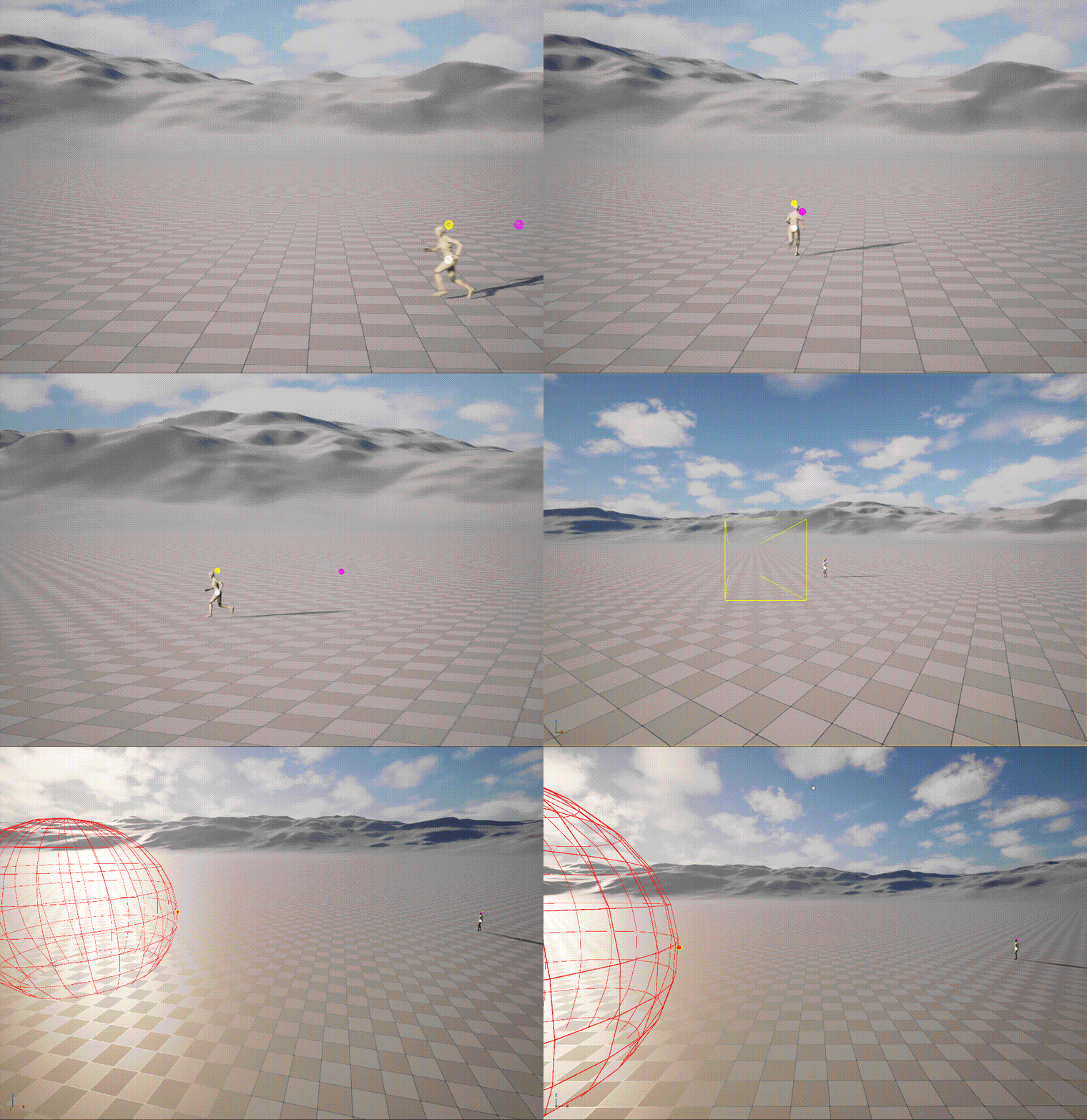
Constrains the camera position to stay inside a single Box or Sphere volume. When the upstream position is outside the volume it is projected to the nearest boundary point (per-axis OBB clamp for Box, radial clamp for Sphere); when it is already inside, the node is a no-op pass-through.
Volume source. VolumeSource selects how the geometry is provided:
FromActor— reads the firstUBoxComponentorUSphereComponenton a placedVolumeActor. The component's world transform is sampled each tick, so moving volumes work.Inline— the node carries its ownVolumeCenter,VolumeRotation,BoxExtents/SphereRadiusdirectly. Useful when no actor needs to be placed in the level.
Smoothing. The default is a hard projection — stateless and deterministic. An optional ClampInterpolator adds per-axis temporal smoothing (three independent 1D filter instances, one per world-space axis) to eliminate visible snaps on release, corner face-switches, or scripted teleports.
Chain placement: after CameraOffsetNode / LookAtNode (position-writing nodes) and before CollisionPushNode — so the collision resolver operates on the already-constrained position rather than fighting the constraint.
C++ reference: UComposableCameraVolumeConstraintNode
ImpulseResolutionNode
Resolves impulse forces applied via volumes — the "camera got pushed by an explosion" channel. Listens for impulse events registered on trigger volumes in the level and integrates them into the pose with configurable damping.
Movement and authored motion
These nodes place the camera on a pre-authored path or procedural trajectory. They produce position only — pair with a downstream LookAtNode to orient the camera along the path.
DirectionalMoveNode
Moves the camera from an authored InitialTransform along a camera-local direction at a fixed speed. The node resets its elapsed time when the camera initializes, normalizes Direction, converts it through InitialTransform's rotation, then writes position and rotation each tick.
Use it for simple pushes, pull-backs, dolly moves, and reveal shots where the path is a straight local-space vector rather than an authored spline. Pair it with a downstream LookAtNode when the camera should keep tracking a subject during the move.
| Field | Purpose |
|---|---|
Direction |
Camera-local direction. X is forward, Y is right, Z is up. |
InitialTransform |
Starting location and rotation. The rotation defines the local direction frame. |
Speed |
Movement speed in centimeters per second. |
Duration |
Seconds spent moving. Negative values move forever; 0 holds InitialTransform; positive values clamp at the final offset. |
This node is not patch-compatible.
C++ reference: UComposableCameraDirectionalMoveNode
TwoPointMoveNode
Moves the camera from SourceTransform to TargetTransform over Duration, lerping position and slerping rotation. If Curve is set, the node samples it with normalized time in [0, 1] and clamps the returned value to [0, 1]; otherwise normalized time is used directly. After Duration, the target transform is held. A zero duration snaps to the target immediately.
Use it for authored one-shot moves where the start and end transforms matter more than a path shape: quick cinematic reframes, short cutaway moves, or scripted camera beats inside a camera type asset.
| Field | Purpose |
|---|---|
SourceTransform |
Transform at normalized time 0. |
TargetTransform |
Transform at normalized time 1 and the held final pose. |
Curve |
Optional float curve mapping normalized time to interpolation alpha. |
Duration |
Seconds spent moving from source to target. |
This node is not patch-compatible.
C++ reference: UComposableCameraTwoPointMoveNode
SplineNode
Places the camera on a spline, with multiple spline math backends: BuiltInSpline (wraps USplineComponent), BezierSpline, CubicHermiteSpline, BasicSpline (B-spline), NURBSpline. Useful for rail-style fixed-path cameras — boss intro flyovers, zone-entry establishing shots — where the path is authored, not derived.
When MoveMethod is ClosestPoint, ClosestMoveMethodPivotActorSource chooses whether the closest-point query tracks an explicit actor or the controller-controlled pawn.
Level Sequence integration
Sequencer-driven cinematics are now handled by the Play Cutscene Sequence Blueprint node, which manages context pushing, CameraCut-driven camera switching, and cleanup automatically. See the Level Sequence Integration tutorial.
SpiralNode
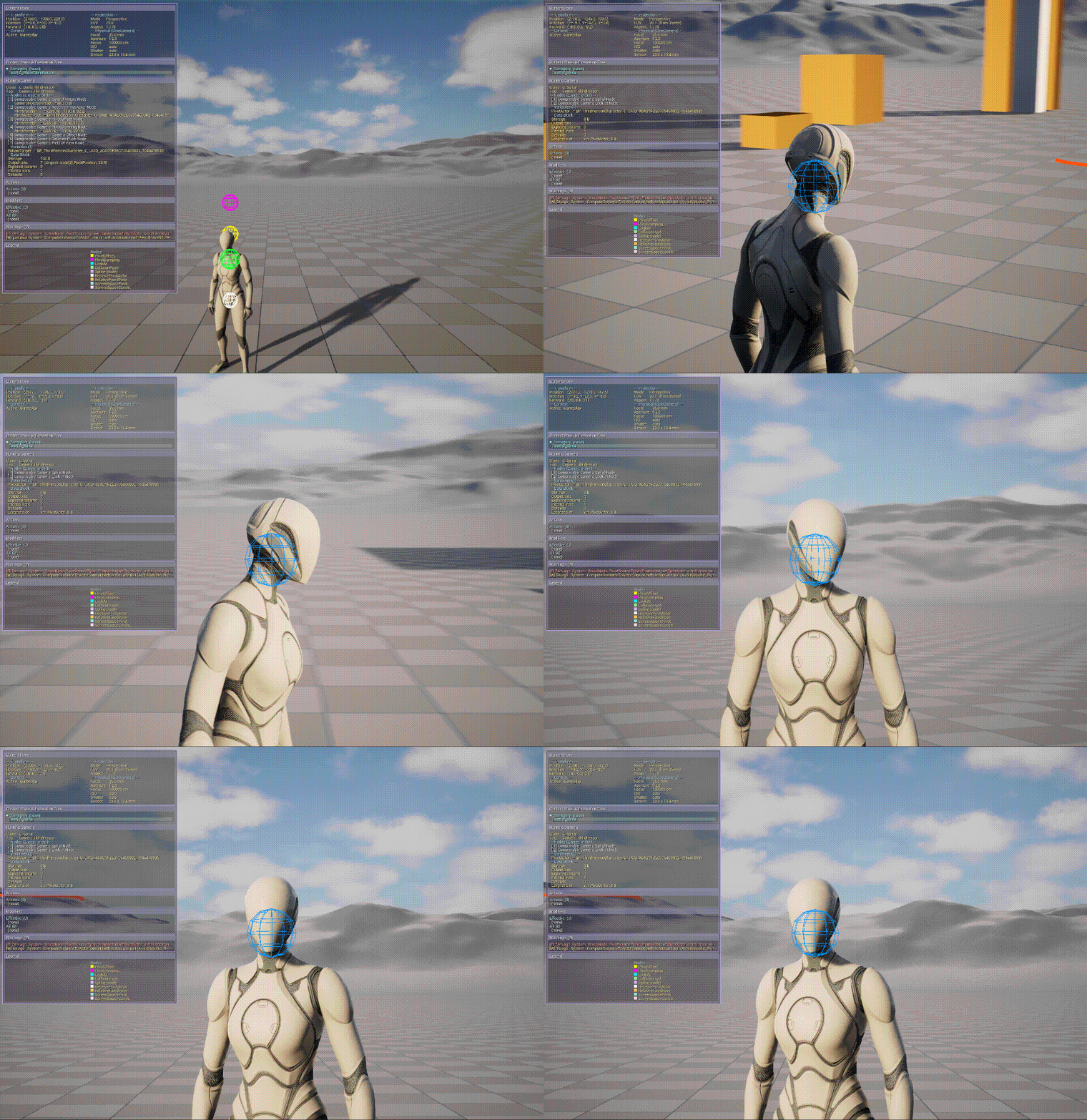
Places the camera on a helical path around a pivot point. Position-only — rotation is left untouched, so pair with a downstream LookAtNode to keep the subject in frame.
When PivotSourceType is FromActor, PivotActorSource can use an explicit pivot actor or the controller-controlled pawn.
The trajectory is defined by three curves over normalized time:
| Curve | Unit | Meaning |
|---|---|---|
RadiusCurve |
cm | Radial distance from the rotation axis |
HeightCurve |
cm | Signed distance along the axis (+ = along axis, − = against) |
AngleCurve |
degrees | Angular position, additive to InitialAngleDegrees |
All three use the Progress authoring pattern — direct curve evaluation at NormalizedTime, no per-frame integration. Position at any instant is O(1) and the node carries no accumulated state, so scrubbing or restarting the effect is clean.
Spiral Space (the Up/Forward/Right basis around which the angle is measured) is re-derived each tick from RotationAxis and ReferenceDirection enums. CameraInitialForward captures the camera's forward at activation and uses it as the angle reference, so the spiral starts seamlessly from wherever the camera was pointing.
Play modes: Once (clamp at Duration), Loop (Fmod wrap), PingPong (mirrored time oscillation). A Loop orbit typically authors AngleCurve as Y(0)=0, Y(1)=360·N for a seamless N-turn cycle — trig periodicity absorbs the angular wrap.
C++ reference: UComposableCameraSpiralNode
Cinematic effects
Time-based, curve-driven effects intended for scripted moments — boss reveals, narrative beats, cutscene punctuation. These nodes play once from activation (or loop/ping-pong when configured) and do not respond to per-frame player input.
HitchcockZoomNode
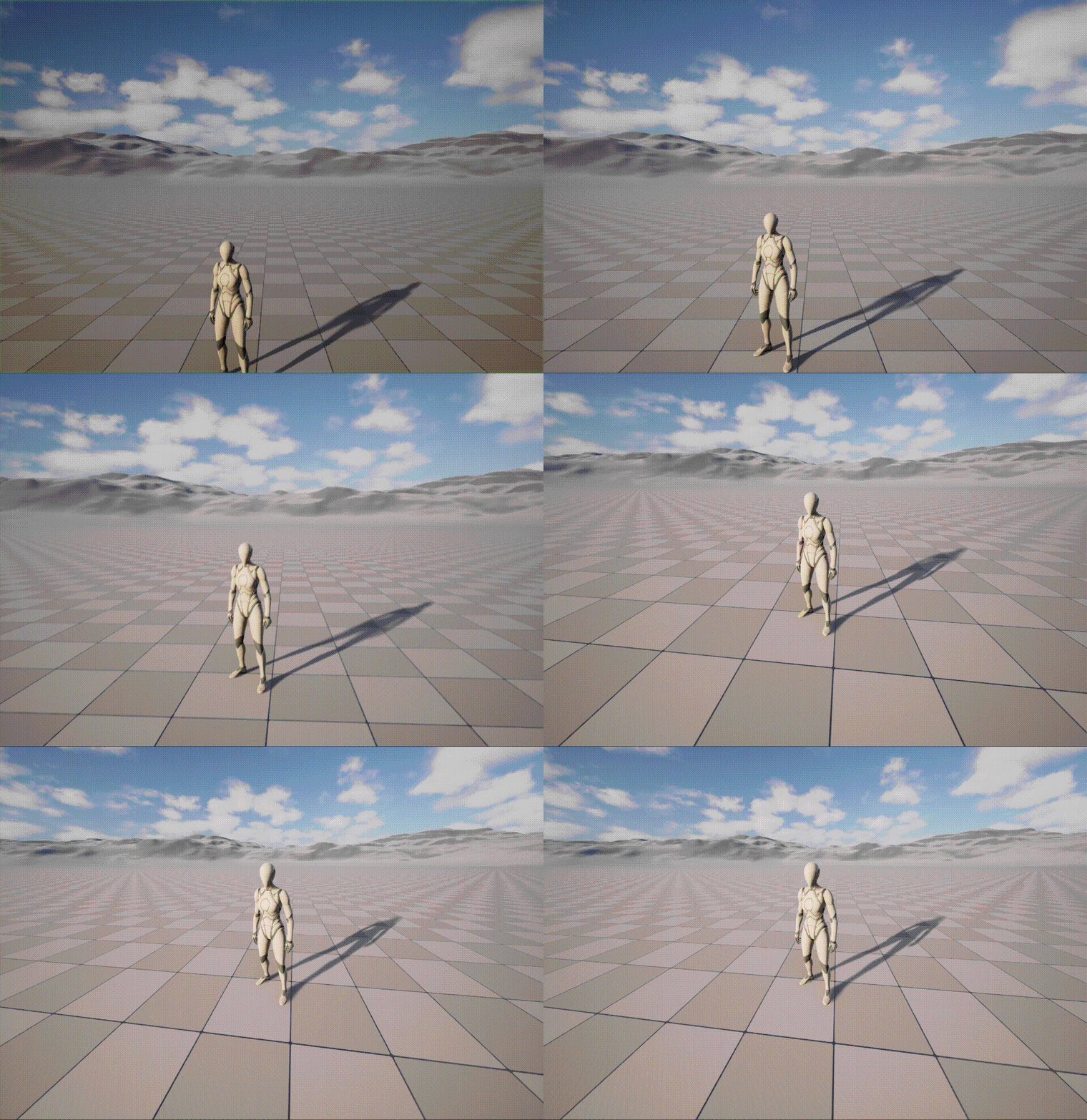
The Hitchcock Zoom (also known as the Vertigo effect, dolly zoom, or trombone shot): the camera moves along its view axis while FOV changes in the opposite direction. The result is that the target subject keeps roughly the same on-screen size while the background perspective warps dramatically.
Authoring modes. Driver selects which curve you author; the other quantity is solved from a lock constant (distance · tan(FOV/2)) captured on the first tick:
FromFOVDelta— authorFOVDeltaCurveas an additive FOV delta in degrees over normalized time. Natural when you think about the visual look ("background should distort by N degrees wider").FromDistanceDelta— authorDistanceDeltaCurveas an additive distance delta in world units. Natural when you think about the physical move ("dolly back 3 metres").
Curve convention — additive delta, Y(0) = 0. Both curves express the change from the captured initial state, not an absolute trajectory. A curve with Y(0)=0, Y(1)=−30 on FOVDeltaCurve means "narrow the FOV by 30 degrees over the duration", regardless of whether the initial FOV is 60 or 90. This makes curves portable across cameras and guarantees the first tick outputs the unmodified initial state — no seam at t=0.
Initial FOV. Set InitialFOVOverride > 0 to pin the starting FOV explicitly (useful when no upstream LensNode or FieldOfViewNode is in the chain and the pose would otherwise inherit a renderer default). Leave at the default −1 to read GetEffectiveFieldOfView() from the upstream pose.
Composability. Direction is resampled from the upstream pose every tick, so an upstream LookAtNode can continue steering during the effect — HitchcockZoomNode owns only the radial distance and FOV, leaving rotation to the rest of the chain. FOV ownership: the node writes FieldOfView and clears FocalLength to −1 (FOV-mode sentinel). If an upstream LensNode is present, set bOverrideFieldOfViewFromFocalLength to false on it.
The lock subject uses PivotActorSource, so gameplay dolly-zoom effects can target the possessed pawn without an explicit actor pin.
Play mode is implicitly Once — the curves clamp at NormalizedTime = 1 after Duration elapses and the pose freezes at the final state. Re-activate the camera context to restart.
C++ reference: UComposableCameraHitchcockZoomNode
Composition
MixingCameraNode
Mixes the output of multiple child cameras into one pose. The child cameras are themselves full composable cameras (auxiliary, spawned via the PCM's C++-only CreateNewCamera / ActivateNewCamera entry points). Use for custom multi-subject cameras (framing two players, boss-and-hero cameras) where each subject needs its own evaluation tree.
Mixing weights and the blend function are authored as node parameters.
BlueprintCameraNode
A camera node whose OnTickNode is implemented in Blueprint. Lets gameplay programmers prototype or ship one-off node behavior without touching C++. For production code intended to ship on the per-frame hot path, migrate to a C++ subclass — Blueprint VM overhead is non-trivial when called every frame per camera.
ViewTargetProxyNode
Internal-only node — not intended for placement in camera type assets by designers. Created programmatically by the PCM's SetViewTarget override (implicit camera activation) to relay an external UCameraComponent's FMinimalViewInfo into CCS as an FComposableCameraPose each tick. If the target actor is missing or has no UCameraComponent, the node passes through the unmodified input pose.
Compute nodes
Compute nodes run once at camera activation on the BeginPlay chain. Most publish output values that camera nodes downstream read once and cache — not reread each frame. A compute node may also perform explicit initial-pose setup before the first camera tick.
ComputeDistanceToActorNode
Measures the distance and direction between two actors at activation time. Use to scale boom-arm length, set initial FOV, or derive blend weights from actor proximity at the moment the camera spawns.
Inputs: ActorA, ActorB (Actor).
Outputs: Distance (Float), Direction (Vector3D).
ComputePositionBetweenActorsNode
Computes one world position between two resolved actors at activation time:
Position = Lerp(FirstActor.Location, SecondActor.Location, Alpha) + WorldZ(HeightOffset)Use it to seed a camera's initial pivot, rail start, or two-character midpoint before the camera chain starts ticking. Alpha = 0 selects the first actor, Alpha = 1 selects the second actor, and values between them produce an interpolated point. HeightOffset is applied along world Z after interpolation.
Both endpoints can resolve from explicit actors or the controller-controlled pawn. If either endpoint cannot resolve, the node logs a warning and outputs zero rather than using stale actor data.
Inputs: FirstActorSource, FirstActor, SecondActorSource, SecondActor, Alpha, HeightOffset.
Outputs: Position (Vector3D).
C++ reference: UComposableCameraComputePositionBetweenActorsNode
BeginPlaySetRotationNode
Initializes the camera's starting rotation on the BeginPlay chain using the same rotation source, actor source, two-actor direction, vector, rotator, and RotationOffset fields as SetRotationNode.
Because it writes both CameraPose.Rotation and LastFrameCameraPose.Rotation, it is useful before first-tick constraints or damping nodes that depend on a sensible previous rotation. It is compute-only and does not run during Level Sequence scrubbing.
C++ reference: UComposableCameraBeginPlaySetRotationNode
Node base class
UComposableCameraCameraNodeBase
Abstract. The base every camera node derives from. Exposes:
Initialize()(non-virtual wrapper) →OnInitialize_Implementation(). Called once after pin resolution and subobject pin application, before the first tick.TickNode()(non-virtual wrapper) →OnTickNode_Implementation(DeltaTime, CurrentPose, OutPose). Called every frame on the camera chain.GetPinDeclarations_Implementation(OutPins). Declares the node's pin schema.
See Extending → Custom Nodes for the authoring recipe.
UComposableCameraComputeNodeBase
Abstract. The base every compute node derives from. Overrides one method:
ExecuteBeginPlay(). Called once on the BeginPlay chain after node initialization. Read inputs, compute, write outputs, or perform explicit initial-pose setup.
See also: the auto-generated API Reference for per-class property tables; Extending → Custom Nodes for writing your own; User Guide → Graph Editor for the authoring surface.
CompositionFramingNode
Camera node that wraps the Composition Solver and produces a complete camera pose (Position + Rotation + FOV + Focus + Aperture) from an authored FComposableCameraShot each tick. This is the runtime bridge between Shot-Based Keyframing data and the camera evaluation pipeline.
The node has no pins. A regular TypeAsset can expose the node's Shot in the Details panel, but the common Sequencer workflow uses AComposableCameraLevelSequenceShotActor plus a Composable Camera Shot Track. Each active Shot Section pushes its inline or asset-backed Shot into the node before the camera ticks; overlapping sections can run two solver passes and blend them through the incoming section's EnterTransition.
When the solver succeeds, the node owns the camera pose: Position, Rotation, FieldOfView, Aperture, and FocusDistance are written from the Shot. PhysicalCameraBlendWeight is forced to 1.0. If the primary solve fails because an anchor or target cannot resolve, the node preserves the upstream pose so runtime playback does not snap to an invalid default.
Use the Shot-Based Keyframing in Sequencer tutorial for the authoring workflow.
- Palette category:
Framing - Header:
Nodes/ComposableCameraCompositionFramingNode.h - C++ reference:
UComposableCameraCompositionFramingNode